
What it does
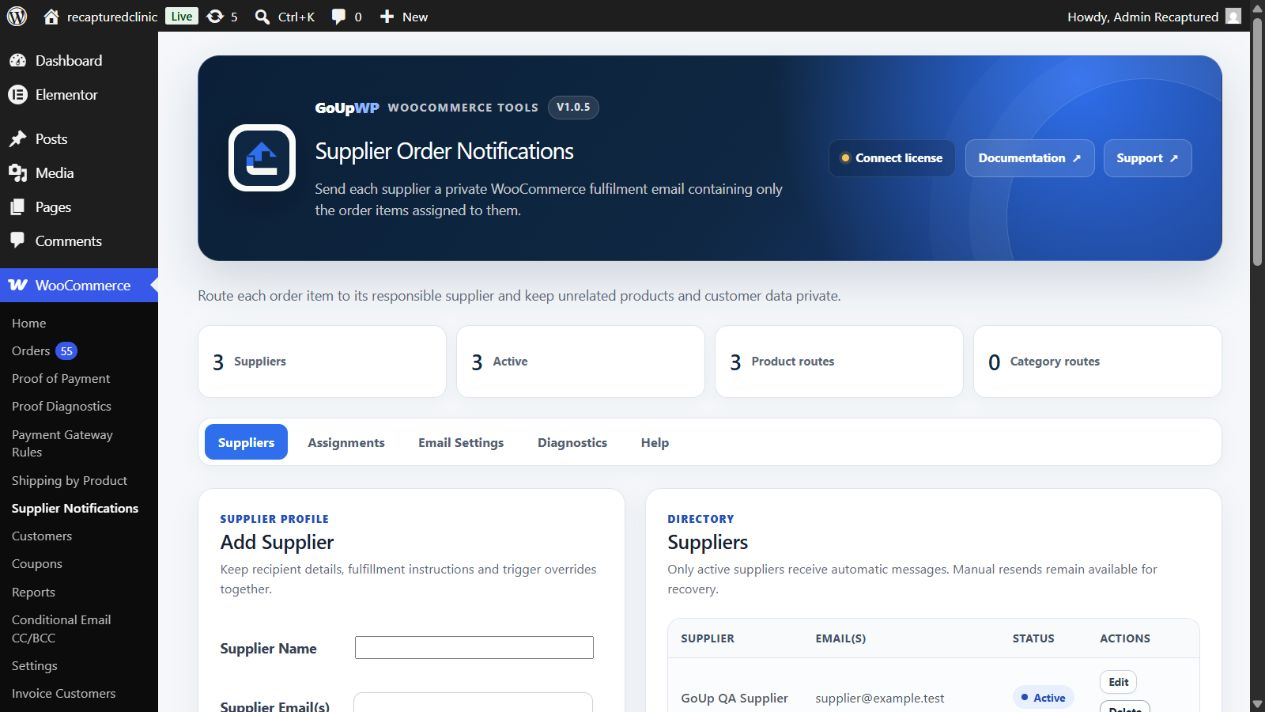
Automatically send WooCommerce orders to your suppliers or dropshippers by email. GoUp Supplier Order Notifications separates a WooCommerce order into supplier-specific fulfilment messages. Assign suppliers to products, variations, or categories, and each supplier receives one private email containing only their relevant line items—never another supplier’s products or email address.
Step-by-step guide: How to Automatically Email Suppliers Their Part of a WooCommerce Order (Dropshipping Notifications)
Screenshots
Common use cases
- Split fulfilment across several dropshipping partners without exposing unrelated products
- Send a manufacturer the products and shipping details it needs to dispatch
- Route variation-specific products to a specialist supplier
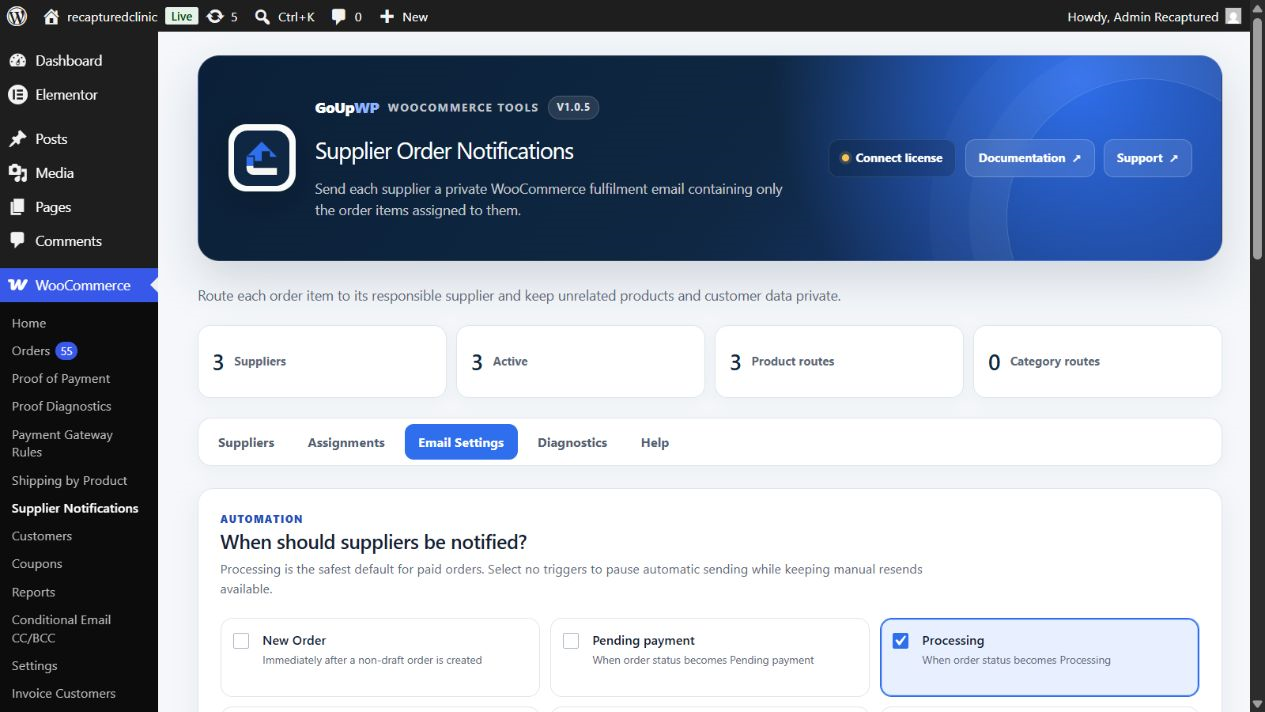
- Notify suppliers when an order reaches Processing while retaining manual resend control
Features
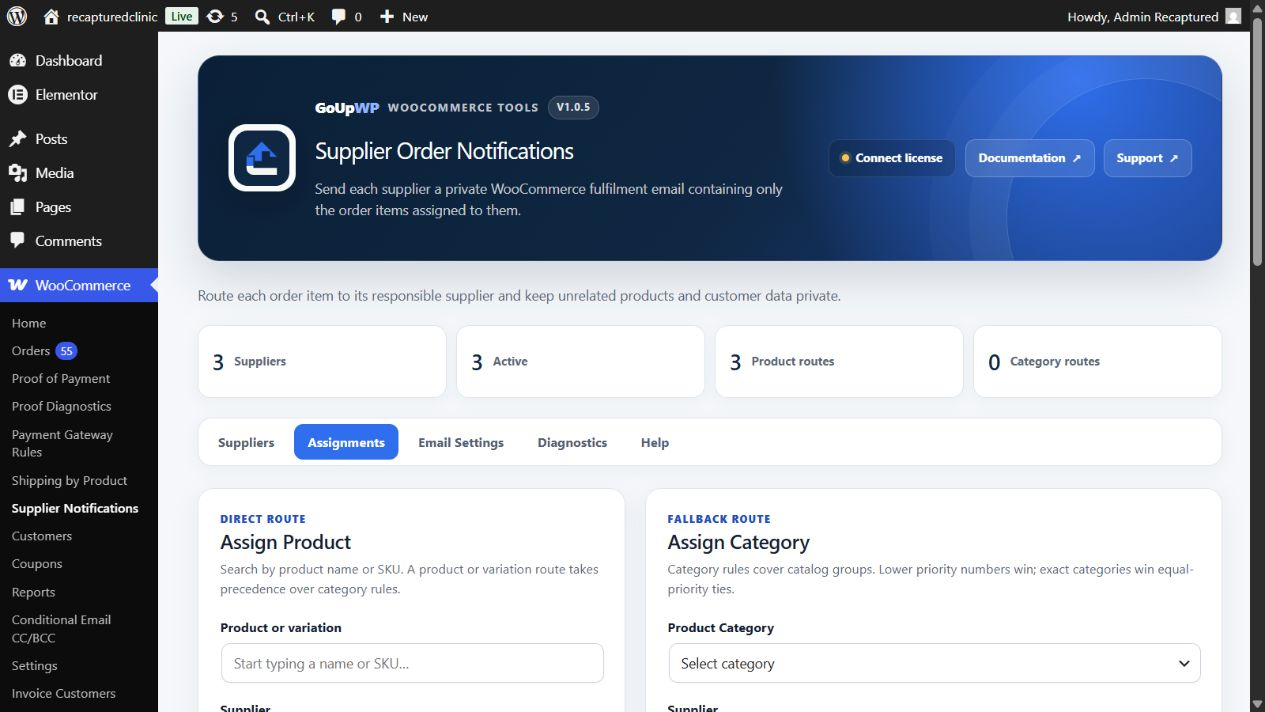
- Assign suppliers to exact variations, products, or product categories with deterministic precedence
- Group matching line items into one private email per supplier
- Snapshot supplier identity on order items so later assignment changes do not rewrite history
- Choose order-status triggers and resend one supplier or all suppliers manually
- Control exposure of customer contact fields, notes, item metadata, prices, totals, and payment method
- Prevent duplicate automatic sends while using WooCommerce email styling and existing SMTP infrastructure
How it works
- Download the plugin ZIP from your GoUpWP account.
- Upload, install, and activate it through Plugins → Add New → Upload Plugin.
- Open WooCommerce → Supplier Notifications and create suppliers with validated recipient addresses.
- Assign products, variations, or categories, configure triggers and privacy fields, then test with an order before live fulfilment.
Compatibility and requirements
Frequently asked questions
How do I automatically send WooCommerce orders to my dropshipping supplier?
Assign a supplier to each product, variation, or category, then choose which order status triggers the email (for example Processing). When an order reaches that status, every supplier receives a separate message listing only their own line items, with customer contact and payment details hidden unless you enable them.
Can Supplier A see Supplier B’s products?
No. Each message is rendered from that supplier’s filtered line-item group, and supplier addresses are never exposed to one another.
Are suppliers copied on customer emails?
No. Supplier notifications are separate operational fulfilment emails, not CC or BCC additions to customer messages.
Does a supplier see prices or the full order total?
Not by default. Line prices, the full total, billing address, customer email, phone, and payment method start disabled and can be controlled by the merchant.
What happens if supplier assignments change later?
The supplier identity is snapshotted on each order line item, preserving the historical routing used for that order.
How do the GoUp email plugins work together?
Each plugin evaluates its own focused routing rules. Recipient-routing plugins adjust their intended WooCommerce messages, while Supplier Order Notifications sends separate supplier-specific messages; test overlapping rules with a representative order before launch.
Customer reviews
No reviews yet. Reviews come only from customers who hold a license for this plugin.
Updates, support, and cancellation
Every license covers one production website plus one staging or local development site, and includes maintained releases, automatic updates, fresh downloads, and product support during its term. Annual licenses renew automatically until cancelled. Two-year licenses are prepaid and renewed manually; lifetime licenses never expire. If a fixed-term license ends, your installed plugin continues working at its current version.
Changelog
1.0.5 28 September 2026 · tested with WordPress 7.1
Security, routing reliability, GoUpWP-blue admin UX, assignment maps, privacy controls and email parity.
1.0.4 26 September 2026 · tested with WordPress 7.1
- GoUpWP admin identity: every plugin screen now opens with a GoUpWP header showing the plugin name, version, documentation, support and licence status.
- GoUpWP styling for settings, rule tables, tabs, cards and buttons, scoped to this plugin's screens so WordPress and other plugins are untouched.
- GoUpWP mark on the Plugins screen, Documentation and Support links in the plugin row, and GoUpWP icons on the Dashboard → Updates screen.
1.0.3 20 September 2026 · tested with WordPress 7.1
- Updates: the installer now fetches a freshly signed download link at install time and verifies the SHA-256 checksum, so "Update now" works hours after WordPress last checked for updates.
- Updates: update checks are cached for six hours and the Plugins screen shows a clear message (with a link to the license page) when an update exists but the license is not active.
- License screen: named per plugin in the WooCommerce menu, shows the installed version and a "Check for updates" button, and every string is translatable.
- Plugins screen: Settings and License links on the plugin row.
- Uninstall: releases the license seat on goupwp.com and removes all license data, regardless of the data-retention setting.
- Code style: all source files expanded to readable, documented PHP.
- Fixed a fatal error that broke every WooCommerce email while the plugin was active (incompatible method visibility on the supplier email class).
- Draft orders created by the Checkout Block or the admin order screen no longer trigger supplier notifications.
1.0.2 20 September 2026 · tested with WordPress 7.1
- License screen now explains activation failures (unrecognised key, wrong plugin, site limit reached, expired) and shows the environment, activation counts and end date.
- Activate and Deactivate always contact goupwp.com immediately instead of waiting out a network backoff.
1.0.1 20 September 2026 · tested with WordPress 7.1
- Added the GoUpWP licensing and update client.
- Normalized plugin headers and code style.